
Tutorial: Change the Opacity of Navigation Links on Hover

Pin this post to Pinterest! ☝🏻
CHANGE NAVIGATION LINKS ON HOVER
Out-of-the-box Squarespace website designs are fantastic - they're quick, functional, and get the job done. But sometimes, adding a touch of custom flair can take your site from basic to breathtaking. One easy and effective way to do this is by enhancing your top navigation menu with a sleek hover effect.
Squarespace's default action when you hover over a link is to do....well, nothing. As you can see here, nothing happens when your cursor hovers over the link -
BEFORE:

So, let's change that up, shall we?
Now, when you hover over a navigation link, all of the other links gray out, putting the focus on the one you’re pointing at. This simple tweak not only looks classy but also subtly guides your visitors' attention, making their browsing experience smoother and more intuitive.
AFTER:

This is a super easy effect to implement. No need to be a coding whiz - just copy, paste, and you're good to go.
HOW TO CREATE an opacity HOVER EFFECT:
Here's the code we're going to use. Just copy this -
//change opacity in header nav on hover//
.header-nav a {
transition: opacity .4s ease;
opacity: 1 !important;
}
.header-nav:hover a {
opacity: .35 !important;
}
.header-nav a:hover {
 opacity: 1 !important;
}
Then go to Website -> Website Tools -> Custom CSS and paste the code there.
And that's it! Now you can sit back and watch the magic happen.
When a visitor hovers over a link, the other links will gracefully fade to gray, keeping the hovered link in sharp focus. This simple yet effective technique adds a level of sophistication to your site that standard templates can't compete with.
So, go ahead and give it a try. Your visitors will appreciate the polished look, and you'll love how simple it was to achieve.
Happy coding!
Want more CSS? Check out this free guide below 👇


This tutorial will show how to add a progress bar to your blog post in Squarespace. Progress bars ensure that readers finish reading your blog post instead of exiting your post halfway through. Add a progress bar to lower your bounce rate and keep readers engaged.

Create an animated button on hover to catch the attention of your visitors and increase your conversions. You can apply this to any button on Squarespace. This tutorial will show you step-by-step instructions and provide the template for the icon.

A great way to jazz up your site is with sticky columns. It's a quick and easy way to break out of your Squarespace template and really make your website stand out from all of the other ones.
This post will show how to add a sticky text or image to fluid engine, classic editor, and a product description.

The animated typewriter effect is a really easy way to make your website stand out from everyone else's. This post shows you how to create the typing effect easily using two sets of code.

Learn how to effortlessly add read times to your Squarespace blog posts, overview pages, and summary blocks using CSS. Completely customizable to your brand colors.
Gradient backgrounds are a great way to bring a unique design element to your Squarespace site and add some pizzazz to a rather boring and flat background color.
Gradients are very easy to do and will take your design to a whole other level.
Anchor links are URLs that jump to a specific section of a page. Learn how to use anchor links on your Squarespace site and rank higher for SEO.

Adding custom CSS to your site is a great way to elevate your website to a whole new level. These snippets of code will give you an edge in your web design. Includes: how to create a custom bullet point, creating vertical text, creating bubbles or circles behind text, and more.

Learn how to upload a custom font to your Squarespace website by using some simple code with CSS. The code works for heading and paragraph text on your site.
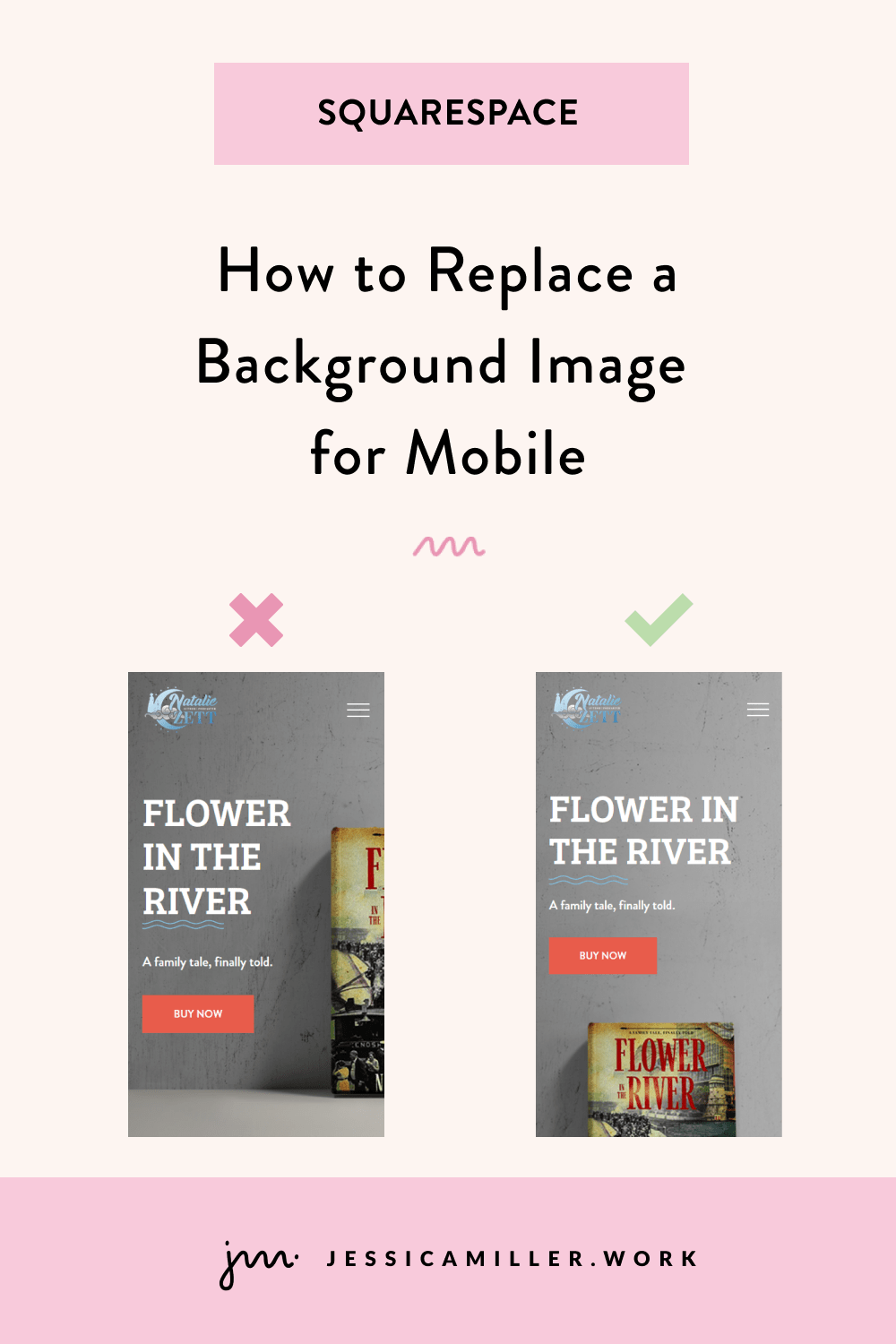
Sometimes background images don’t look the same on mobile as they do on desktop. This post will show how to replace the background image on mobile only so that you have a great image on desktop and mobile.

Create a custom order confirmation page in Squarespace to increase sales. Offer customers a discount code using a newsletter block so they'll come back.

Flodesk is a GREAT way to easily link a subscription newsletter between Flodesk and Squarespace and grow your email list. This is a complete guide of creating a segment, creating a form, embedding a form, and creating an automated workflow.
Hey, I'm Jessica, a Squarespace designer with over a decade of experience. If you're the kind of person who reads a blog post to figure things out yourself, my hat goes off to you. But there's a difference between fixing one thing and knowing for sure that your whole homepage is working.
Master Your Home Page ($17) breaks down exactly what to include. Get the guide →
Already know you want it done right the first time? Email me or book a free 30 minute call.
 Jessica Miller
With 13+ years of experience, I design custom Squarespace sites that are strategic, intuitive, and built to convert. I specialize in advanced customizations, eCommerce setup, user experience, and strategic site flow.
I love collaborating with clients to bring their ideas to life - without the overwhelm.
How to automatically remove items that are sold out from your ecommerce store. Only display items that are actually in stock so that customers know what to choose from.